People & dialogue
Two-Shot Dialogue Hold
Two people in one frame is a continuity test, not a conversation test.
Open recipe →People & dialogue · Medium · 4–5 s
One small turn tells you more about identity drift than ten dramatic ones. A Pavo AI image-to-video preset for a small head turn that keeps face, shirt and plant exactly where they started. Copy-paste prompt and identity-drift fixes.
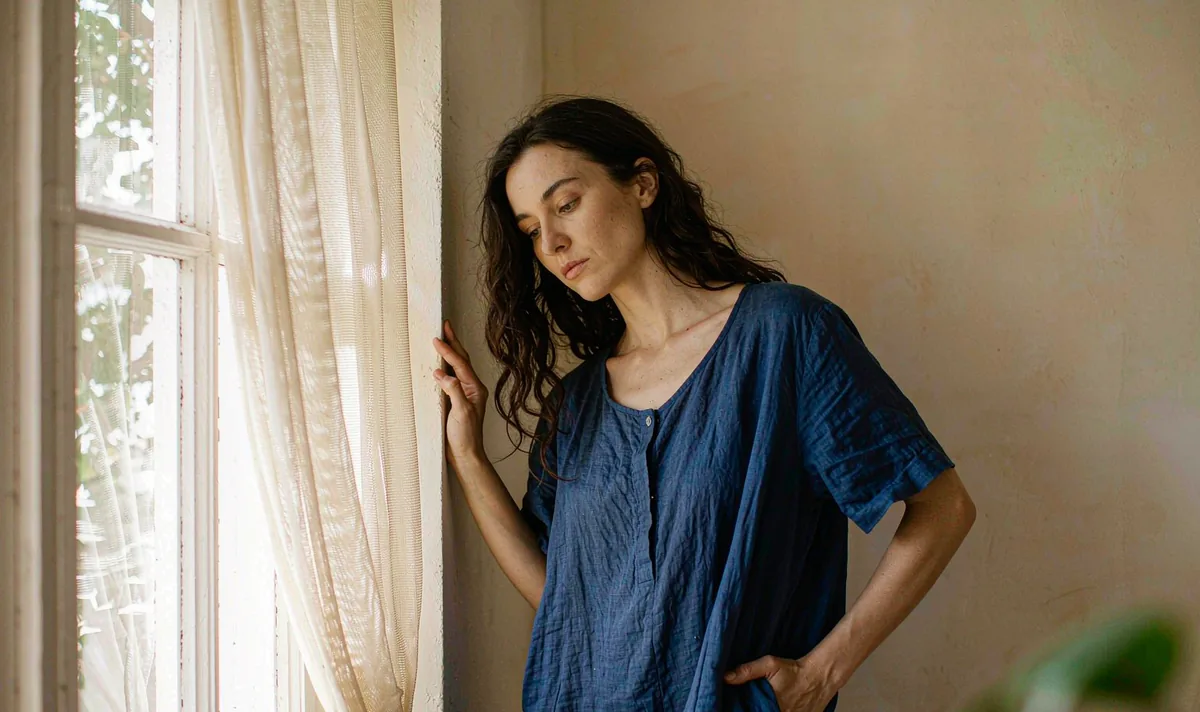
A generated clip inherits every ambiguity in its opening still. Approve the still as a usable composition first, then ask for only the motion this shot actually needs. If one of these checks fails, fix the still — not the prompt.
One action with a beginning, a middle and a held ending gives the model priorities and gives an editor recognisable cut points. Secondary movement stays subordinate to the main action.
Still three-quarter pose, eyes to camera.
A slow head turn of roughly 20° toward the window; shoulders stay square.
Hold the turned pose with a small natural blink, then settle.
List the identity and geometry anchors that must stay fixed. Review them across the whole result, especially during turns and camera moves. If one detail fails, revise that instruction alone.
Copy all six lines into your own generator. Each line owns one decision, so a failed render tells you which line to change. Do not add extra adjectives that do not change a visible production decision.
SUBJECT: One adult in a plain cobalt-blue linen shirt standing three-quarter to camera beside a large sunlit window.
FRAME: Eye-level medium shot, warm off-white wall, soft curtain, one out-of-focus green plant in the foreground, single window light from the left.
ACTION: Hold the opening pose, turn the head slowly about 20 degrees toward the window, then hold the turned pose with one small natural blink.
CAMERA: Locked off at eye level, no push, no orbit, no zoom, no cut.
FIXED: Facial structure, hairline, shirt colour, window position, curtain fold, foreground blur, no logo, no text.
END ON: The turned pose held completely still for 12 frames, face and shirt unchanged from the opening frame.
Want to generate your own version? Use the six-line prompt builder.
| Signal | Change this one line |
|---|---|
| The face changes during the turn. | Reduce the turn to 10°, remove the blink, and restate the face and hairline in the FIXED line. Drift almost always starts at the largest angle. |
| A hand appears at the frame edge. | Crop the opening still tighter at the waist and explicitly state that both hands remain outside the frame. |
Judge this as footage, not as a demo. These are the notes that make the clip usable downstream.
Keep going
People & dialogue
Two people in one frame is a continuity test, not a conversation test.
Open recipe →Aerial & parallax
Consistency is a filing problem before it is a model problem.
Open recipe →Macro & material
Hands fail where the action is complicated. Give them one job.
Open recipe →